(a) MouthIO schematic. The oral interface consists of three components: (1) the 3D-printed brace that gets attachedto the teeth, (2) the integrated flexible PCB with circuits, battery, microcontroller, and sensors, and (3) the PCB housing towater-proof encapsulate the electronics and make it bite-save. (b) Wearing a MouthIO interface integrating two capacitivetouchpads that enable the detection of tongue tapping, serving as an assistive tool for users with motor impairment.
MouthIO
Personal Fabrication
Sep 2023 - April 2024
Project Overview
MouthIO is the first customizable intraoral user interface that can be equipped with various sensors and output components. It consists of an SLA-printed brace that houses a flexible PCB within a bite-proof enclosure positioned between the molar teeth and inner cheeks. Our MouthIO design and fabrication technique enables makers to customize the oral user interfaces in both form and function at low cost. All parts in contact with the oral cavity are made of bio-compatible materials to ensure safety, while the design takes into account both comfort and portability.
PDFFull paper - The ACM Symposium on User Interface Software and Technology (UIST'24)
DOIMIT News: Interactive mouthpiece opens new opportunities for health data, assistive technology, and hands-free interactions
MIT Newshackster.ioDemonstration Video
30-second Preview Video
Presentation Video (Oct 24, 2024)
Design and Fabrication Process
Fabricating the Flexible PCB
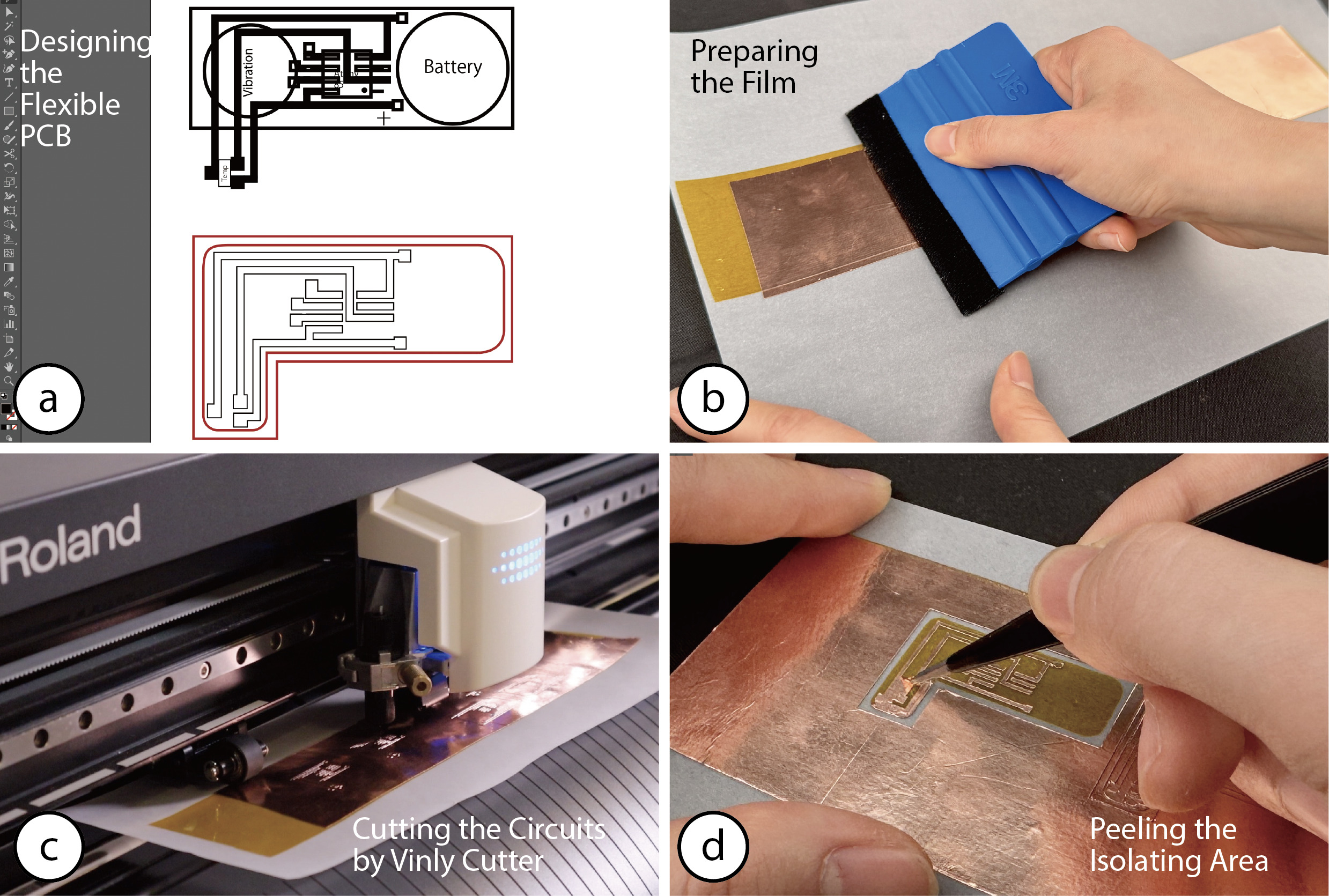
(a) Designing the flexible PCB in Adobe Illustrator. (b) Adhering the copper tape on the Kapton tape. (c) Cutting the circuits with the vinyl cutter. (d) Removing the cut-out copper using tweezers.
Generating 3D Model of Teeth
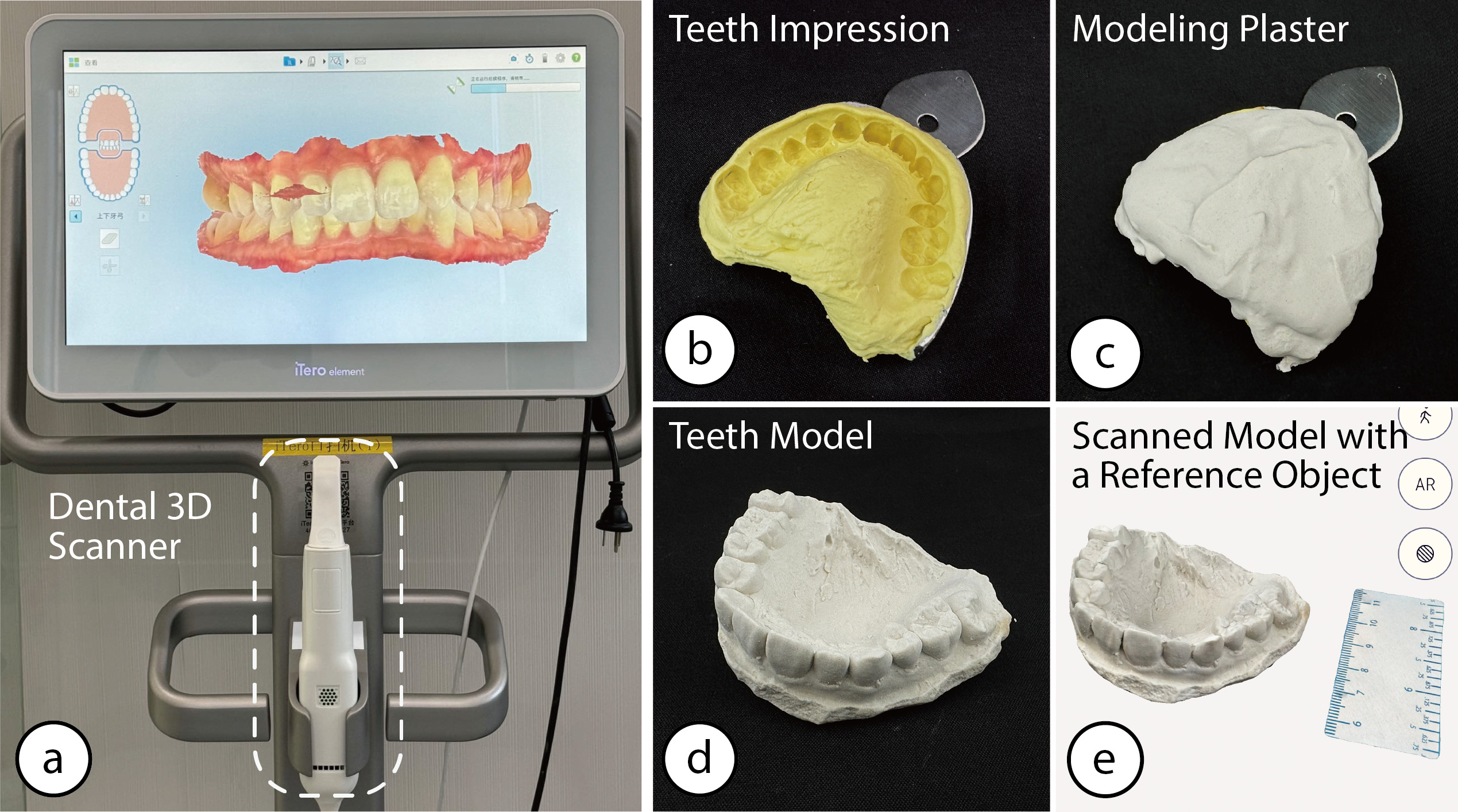
(a) A professional dental 3D scanner generating a 3D scan. Alternatively, makers can create a model by creating (b) an impression with alginate paste and a dental impression spoon, (c) filling the impression with modeling plaster, (d) removing the model from the mold, and (e) scan the model with a reference object in the Polycam app.
Model Processing with the MouthIO Design Tool
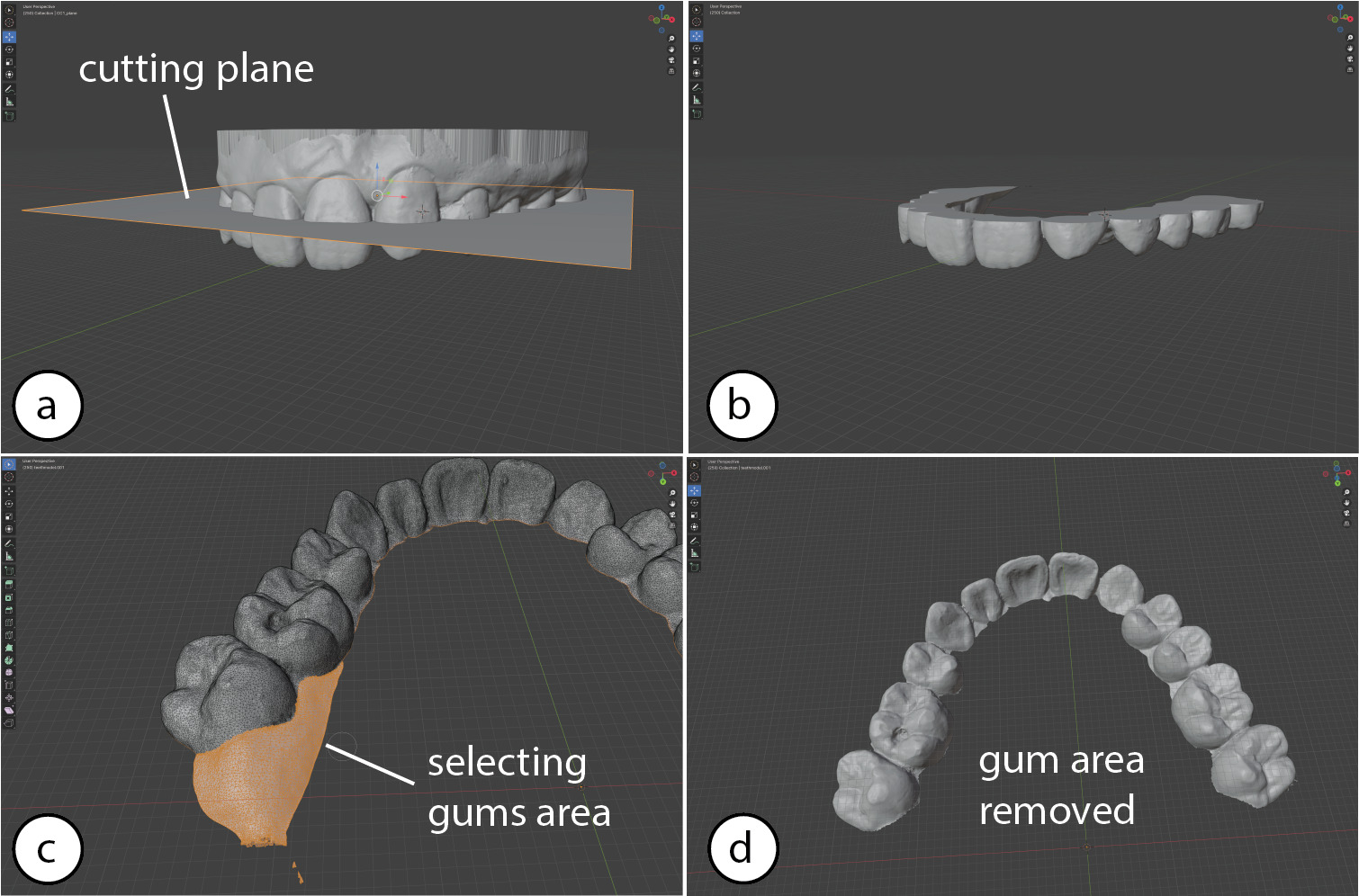
Preparing the MouthIO brace. (a) Users click in our Blender plugin on ’Create cutting plane’ and (b) remove the upper gum area by dragging the plane to the desired height and clicking ’Cut Mouth Piece’. (c) Users remove there maining parts of the gums by brushing over the particular areas using the ’Select Circle’ tool of Blender and (d) deleting them by pressing ’x’.
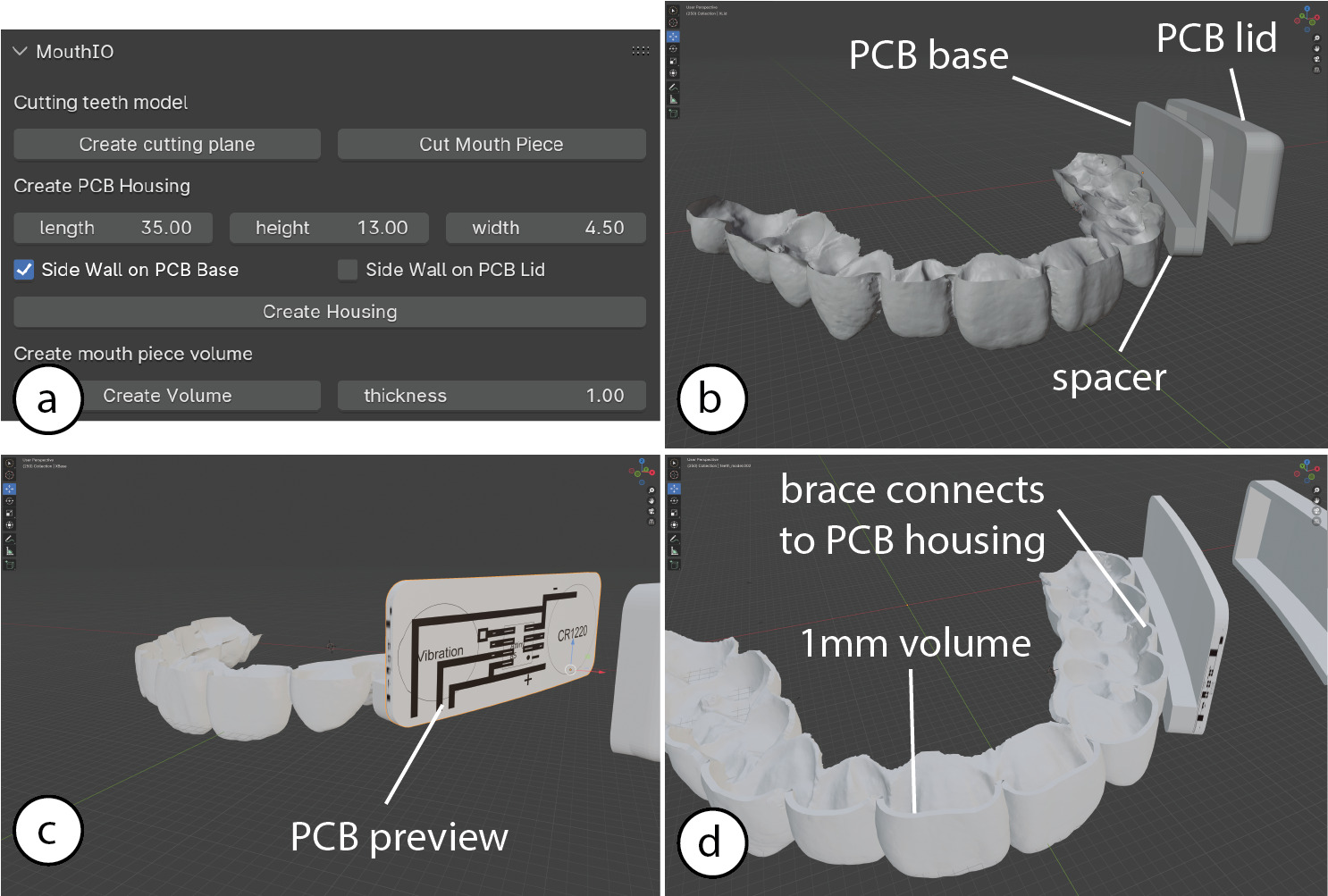
Adding the PCB housing to the MouthIO brace. (a) Users select the size of the PCB housing and click in our Blender plugin on ’Create Housing’ which (b) gets automatically placed next to the molar teeth. (c) A PCB layout can be previewed as a texture to (d) ensure the right dimensions and location.
Printing and Post-Processing the Braces
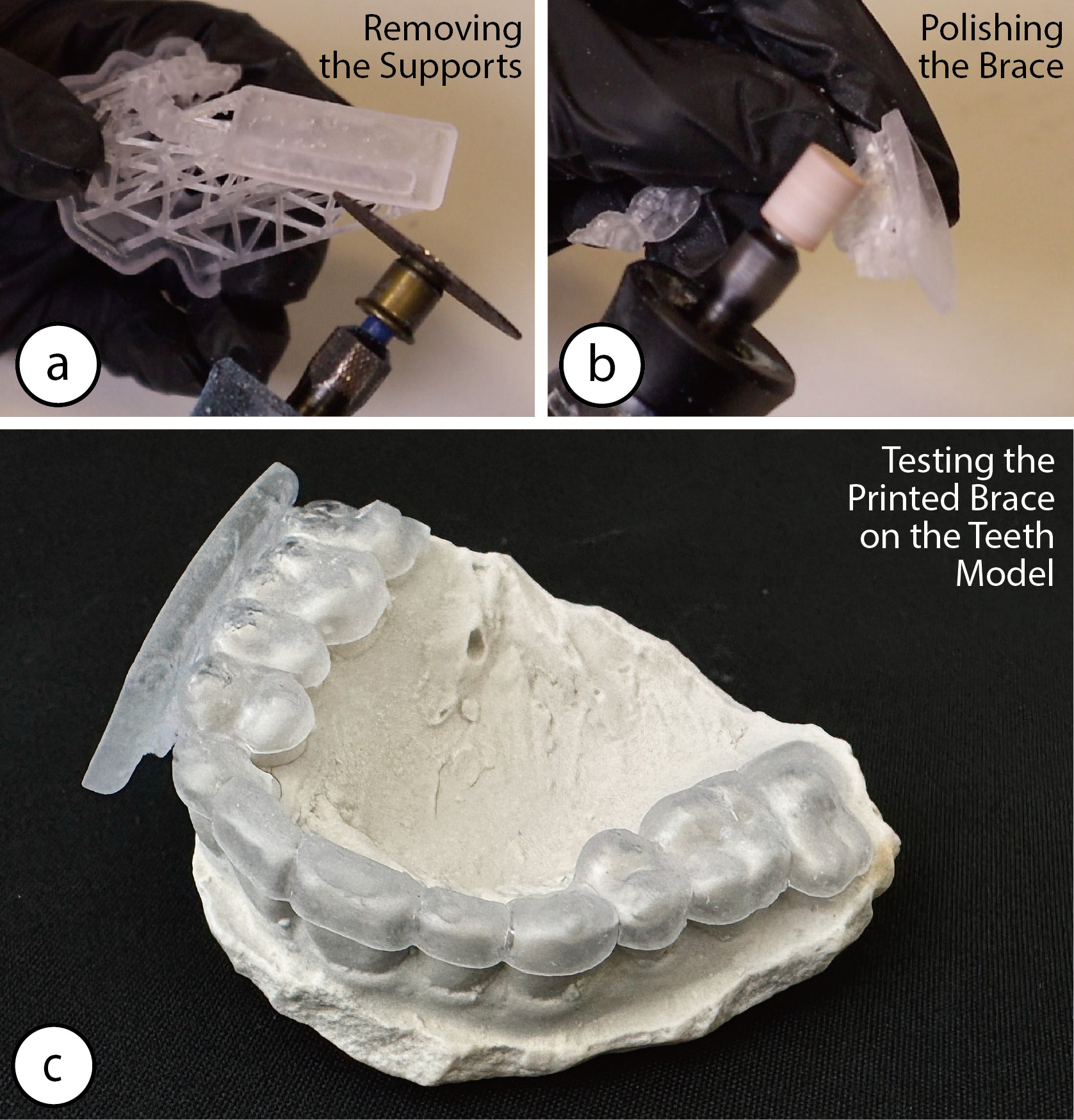
(a) Removing the supports from the printed brace, and (b) polishing it. (c) Testing the brace on the teeth model.
Assembling
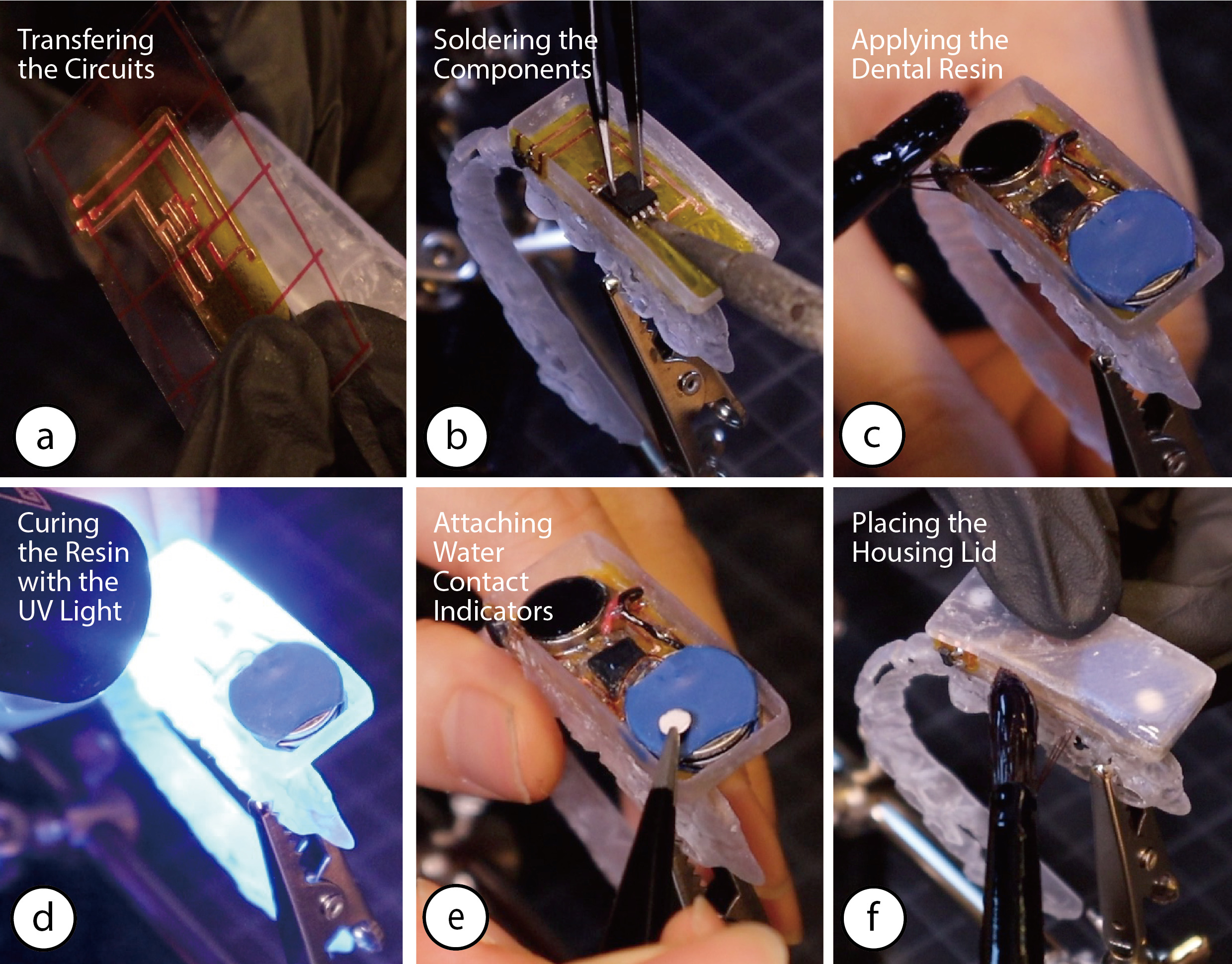
(a) Adhering the circuits to the housing base with a transfer paper. (b) Soldering all electronic components. (c) Applying the dental resin around the soldered connections, (d) and curing it with a UV flashlight. (e) Attaching water contact indicators. (f) Placing the PCB housing lid on top of the housing base.
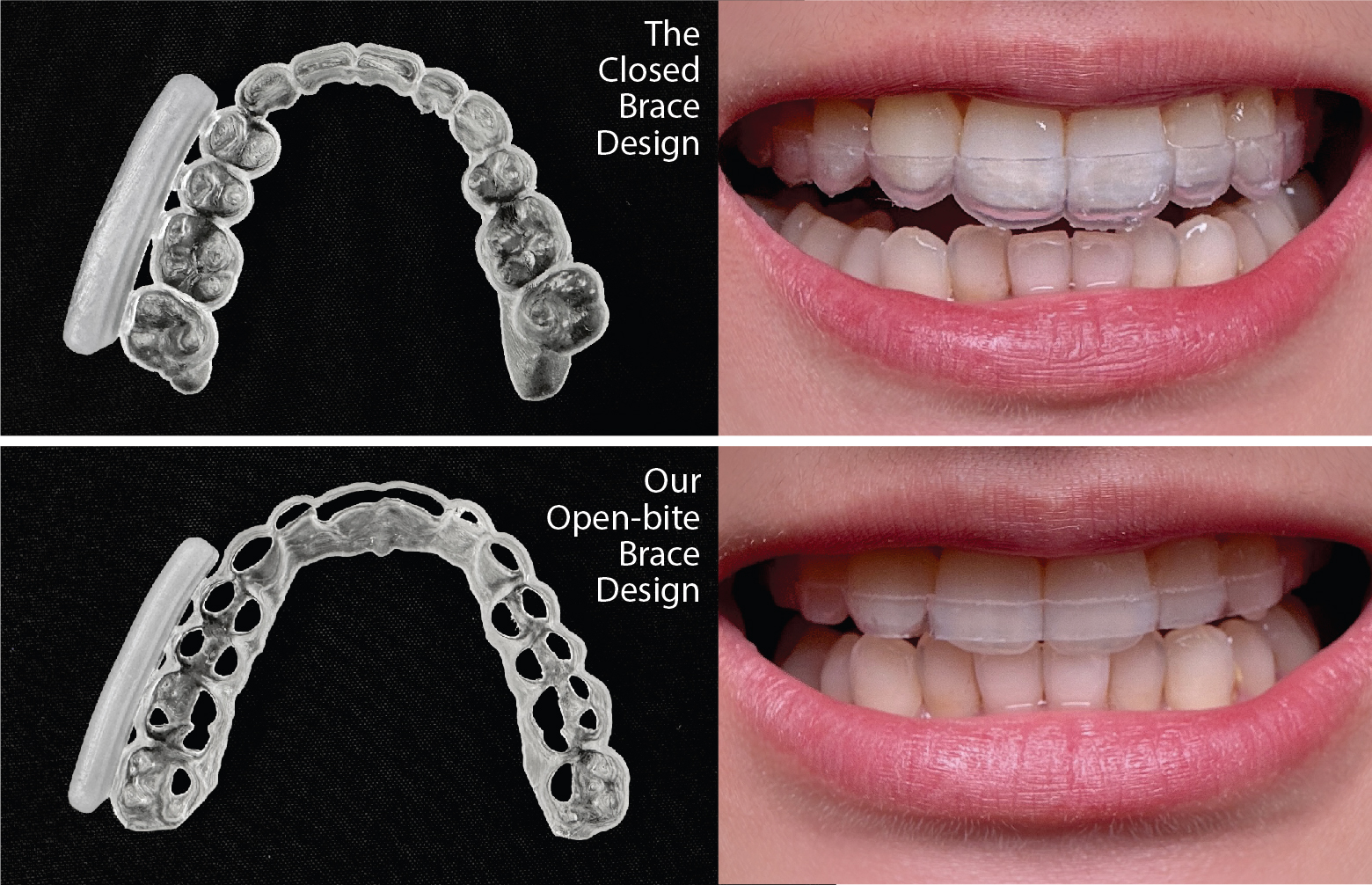
The Open-bite Brace Design
The open-bite design leaves the tip of the front teeth open, which reduces lisping.
Application Examples
Monitoring of Beverage Consumption
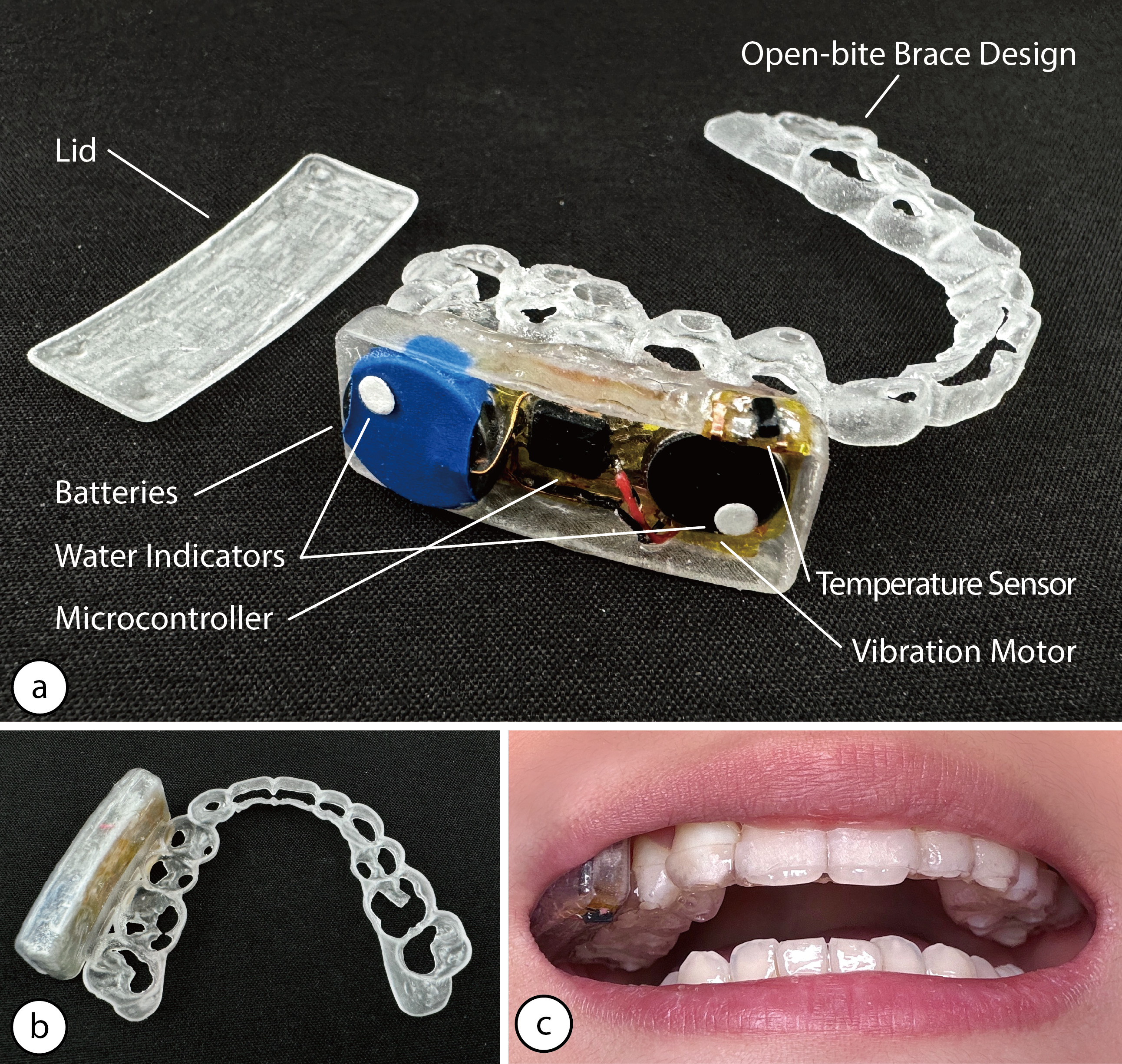
(a) The MouthIO interface with temperature sensor and vibration motor for monitoring beverage temperature, (b) with the lid on. (c) Wearing the MouthIO interface on the upper teeth.
Assistive Technology for Users with Motor Impairments
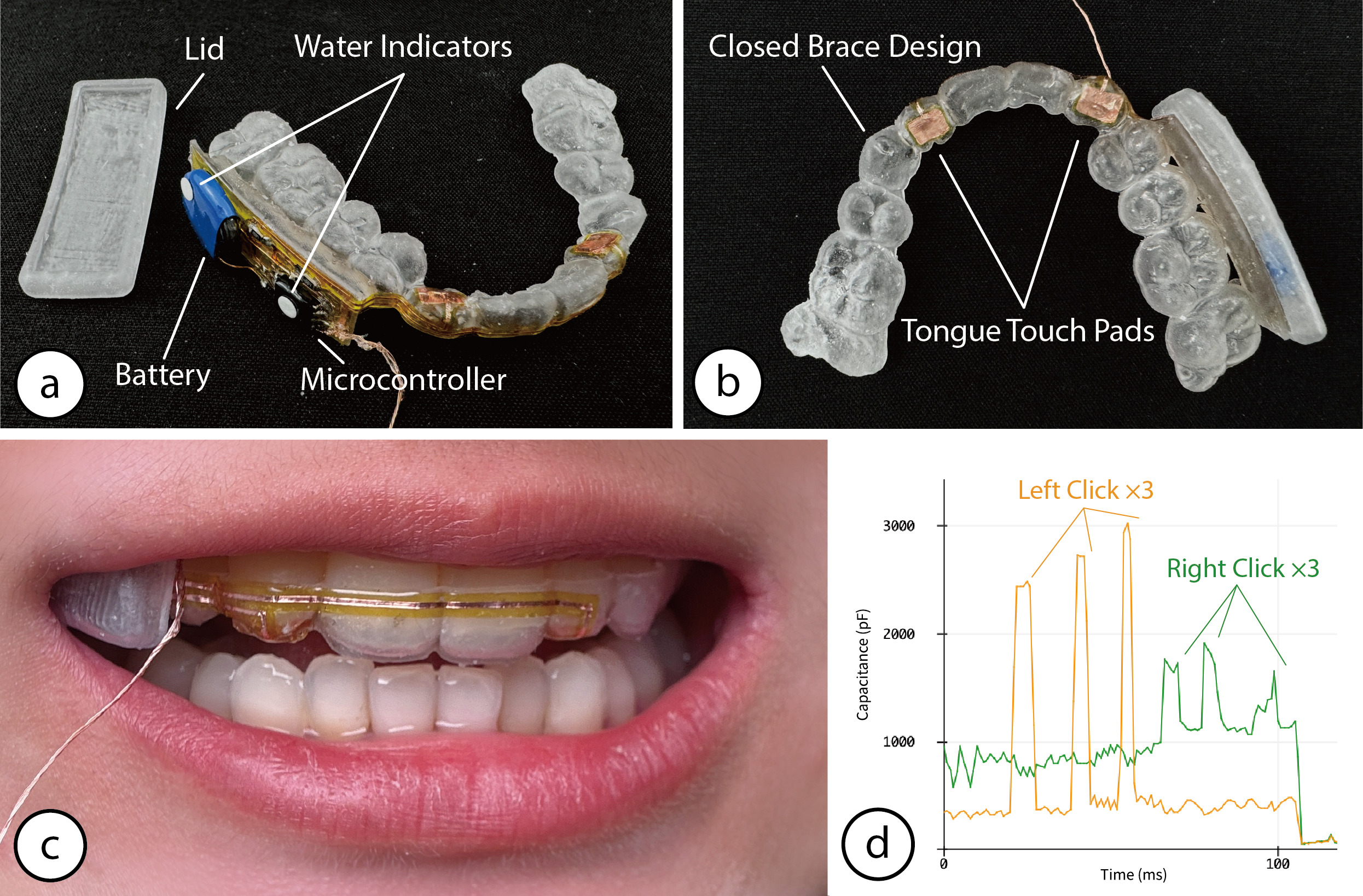
(a) The MouthIO interface with two capacitive touch pads for detecting tongue tapping, (b) with the lid on. (c) Wearing the MouthIO interface on the upper teeth. (d) Data showing the capacitive value pattern during tongue tapping on the touch pads.
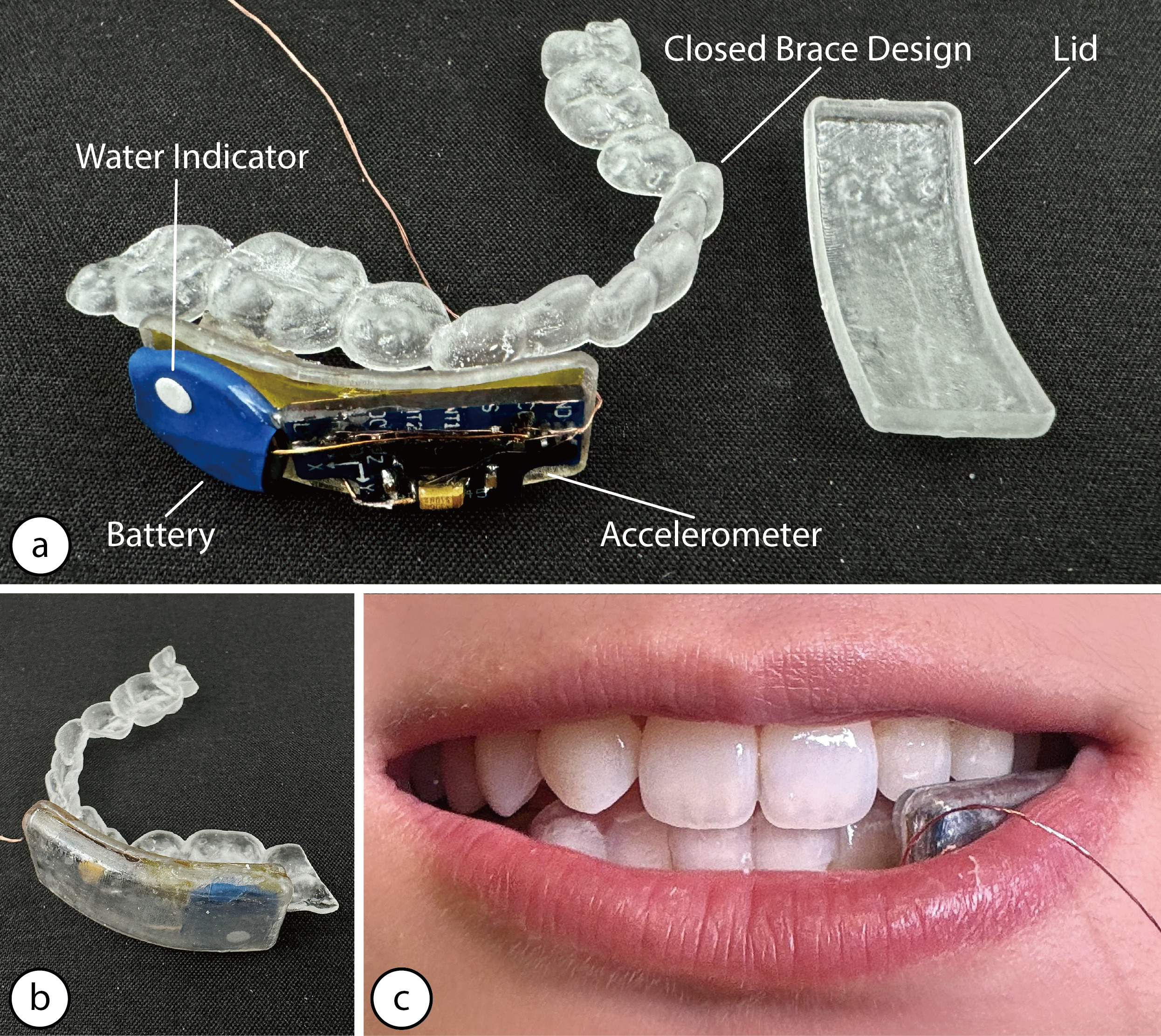
(a) The MouthIO interface with accelerometer monitoring grinding and biting, (b) with the lid on. (c) Wearing the MouthIO interface on the lower teeth.
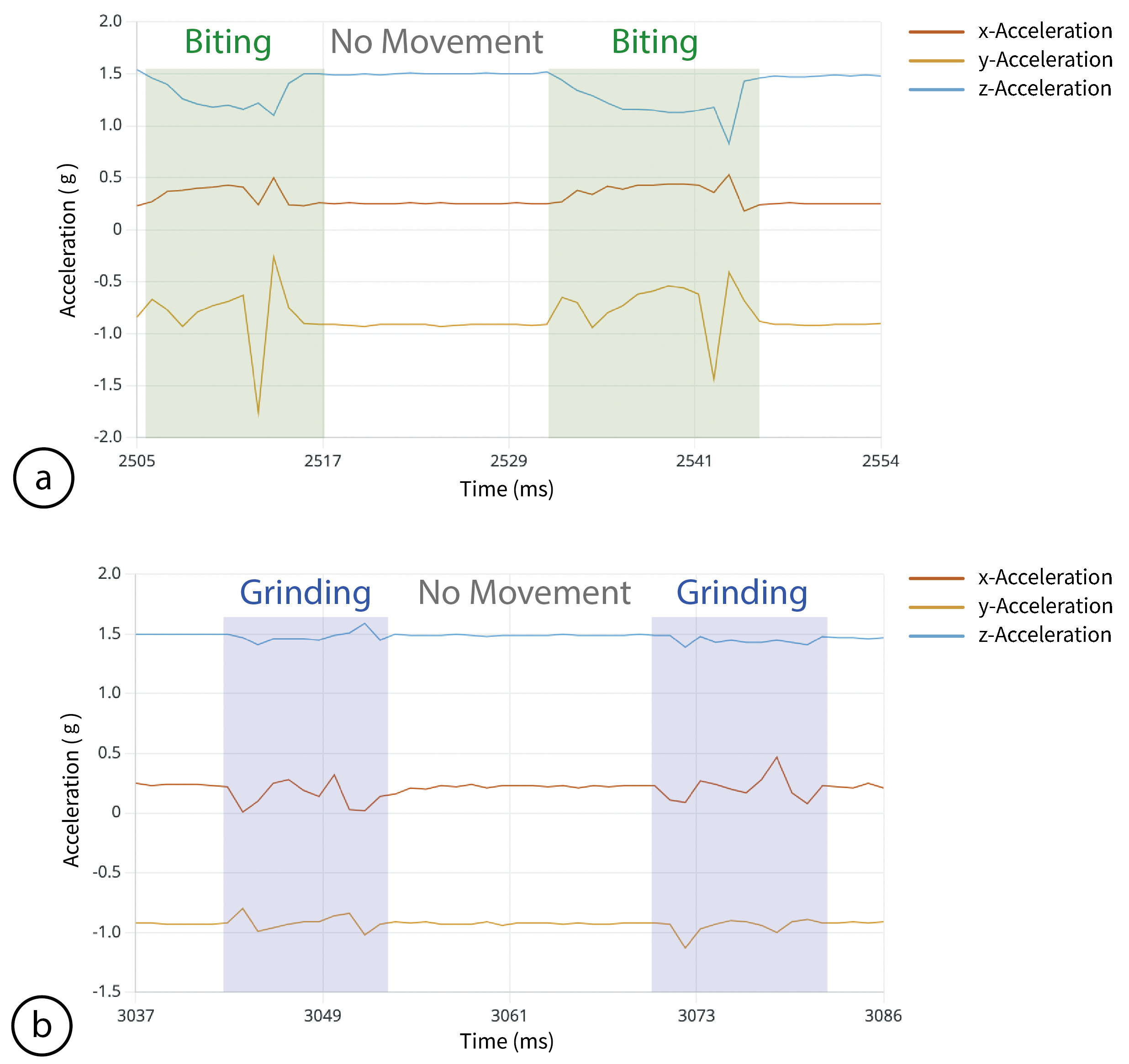
(a) Data showing acceleration patterns between biting and no movement captured while wearing MouthIO, (b) and acceleration patterns between grinding and no movement.